 Room directory
Free for all
Your economy, your army, your decisions. Set resources and peace time before the first clash.
Choose a map, gather your friends and start a battle.
COSSACKS · BACK TO WAR · 1.52
Rally your friends.
Build your empire.
Decide the battle.
YOUR NEXT MATCH
Choose a map and rules. Share an invitation and meet in the game.
First time? Get the game ready ↓Public rooms appear in the directory. Private rooms are invitation only.
One invitationfor your whole group
Your rulesmap, resources, peace time
All on Androidfrom invitation to battle
BEFORE YOUR FIRST MATCH
Everyone needs the same Cossacks: Back to War build. Install the APK and open the game once before joining a room.
Get the Android game ↗Release 1.0 · MOBSIK 15. Game files download on first launch. Install the current game version.
Ask every player to update before playing together.
The first launch downloads about 725 MB. Keep at least 3 GB free for downloading and unpacking.
Once the main menu appears, you are ready. Create a room or open a friend’s invitation.
PLAY TOGETHER
RALLY YOUR TEAM
Choose the map and rules here.
Command your army in the game.
Tap Create a room. Set the player count, battle type, map, starting resources and peace time. Adjust extra rules if you like.
Share the link or show the QR code. Choose a nation and name on your room page, then tap Enter game. Keep the game open while waiting for everyone.
Wait for everyone to join and tap Ready. Once Start match becomes available, tap it. The selected map and rules apply automatically.
Open your friend’s link in an Android browser or scan the QR code. If you copied the link, tap Join by invitation and paste it.
Check the map and rules on the room page. Choose a nation, enter your name and tap Enter game. If the app stays closed, tap Open game.
Wait for the in-game connection, then tap Ready. The host starts when everyone is ready. You don’t need to create another room.
THE GAME ON ANDROID
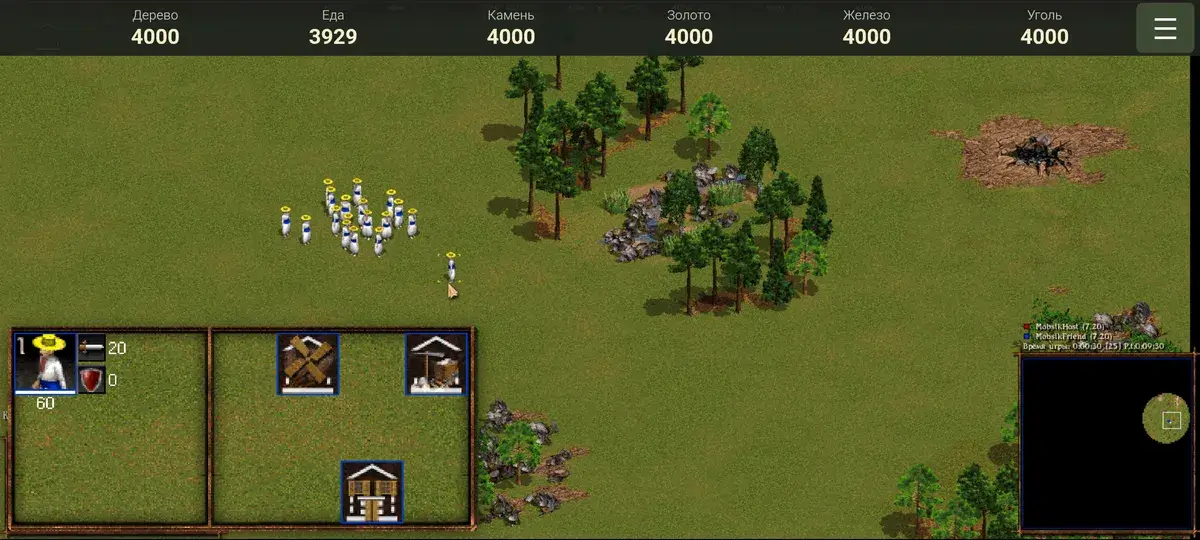
Build a town, gather resources and command an army. Multiplayer includes touch controls, building descriptions and chat.
BEFORE THE BATTLE
Open the room page in an Android browser, choose your name and nation, then tap Enter game. Use the Open game button if needed. Make sure the current build is installed. On a computer, use the QR code to open the room on your phone.
Every participant must enter the app. Wait for connections and game readiness, then each guest taps Ready. The host starts last.
Not yet. Everyone must join before the match starts. When the host leaves, the room closes. Create another room and share a new invitation for the next match.
Every player needs internet access for these rooms. You don’t have to share a Wi-Fi network. Offline local play is not available through this page yet.
The limit is two active rooms across all MOBSIK PLAY games. Close one of your rooms in the browser where you created it, then try again. Waiting and invitation-only rooms also count.
No. After the initial download, the launcher checks installed files and prepares the game. Download progress, speed and time remaining appear when files are actually downloading.
YOUR FRIENDS. YOUR HISTORY.
A map, your rules and an invitation. It starts with a room.
FRIENDS ROOM
The app opens this room automatically.
Open game
Wait for everyone in the game. Friends tap Ready and the host taps Start match.